2024-12-30
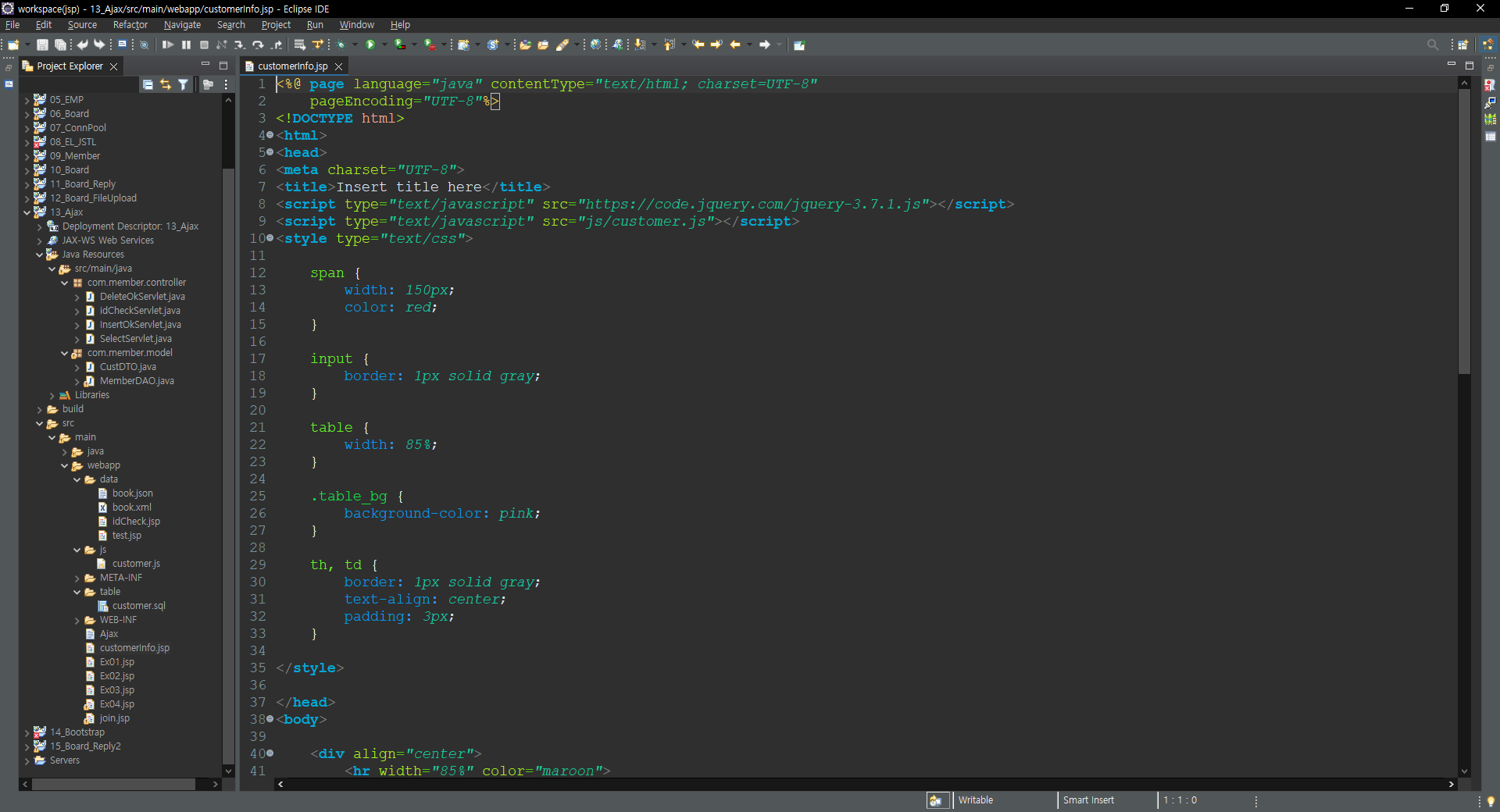

 ====================================== customerInfo.jsp ======================================

<%@ page language="java" contentType="text/html; charset=UTF-8"
    pageEncoding="UTF-8"%>
<!DOCTYPE html>
<html>
<head>
<meta charset="UTF-8">
<title>Insert title here</title>
<script type="text/javascript" src="https://code.jquery.com/jquery-3.7.1.js"></script>
<script type="text/javascript" src="js/customer.js"></script>
<style type="text/css">

	span {
		width: 150px;
		color: red;
	}

	input {
		border: 1px solid gray;
	}

	table {
		width: 85%;
	}

	.table_bg {
		background-color: pink;
	}

	th, td {
		border: 1px solid gray;
		text-align: center;
		padding: 3px;
	}

</style>

</head>
<body>

	<div align="center">
		<hr width="85%" color="maroon">
			<h3>CUSTOMER 테이블 회원 정보 입력 폼 페이지</h3>
		<hr width="85%" color="maroon">
		<br> <br>

		<form method="post" name="inForm" id="inForm">
			<table>
				<tr class="table_bg">
					<th>아이디</th> <th>이름</th> <th>나 이</th> <th>연락처</th> <th>주 소</th>
				</tr>

				<tr>
					<td>
						<input type="text" name="id" id="id" size="10">
						<span>중복여부</span>
					</td>

					<td>
						<input type="text" name="name" id="name" size="10">
					</td>

					<td>
						<input type="text" name="age" id="age" size="3">
					</td>

					<td>
						<input type="text" name="phone" id="phone">
					</td>

					<td>
						<input type="text" name="addr" id="addr" size="20">
					</td>
				</tr>

				<tr>
					<td colspan="5" align="center">
						<input type="button" value="등록하기" id="btn">
					</td>
				</tr>
			</table>
		</form>
		<br> <br>

		<hr width="85%">
		<br> <br>

		<h2>고객 리스트</h2>
		<table id="listTable">
			<tr>
				<th>번 호</th> <th>아이디</th> <th>이 름</th> <th>나 이</th>
				<th>연락처</th> <th>주 소</th> <th>삭 제</th>
			</tr>
		</table>
	</div>

</body>
</html>
 ====================================== CustDTO.java ======================================

package com.member.model;

public class CustDTO {

	private int num;
	private String id;
	private String name;
	private int age;
	private String phone;
	private String addr;


	public int getNum() {
		return num;
	}
	public void setNum(int num) {
		this.num = num;
	}

	public String getId() {
		return id;
	}
	public void setId(String id) {
		this.id = id;
	}

	public String getName() {
		return name;
	}
	public void setName(String name) {
		this.name = name;
	}

	public int getAge() {
		return age;
	}
	public void setAge(int age) {
		this.age = age;
	}

	public String getPhone() {
		return phone;
	}
	public void setPhone(String phone) {
		this.phone = phone;
	}

	public String getAddr() {
		return addr;
	}
	public void setAddr(String addr) {
		this.addr = addr;
	}
}
 ====================================== MemberDAO.java ======================================

package com.member.model;

import java.sql.Connection;
import java.sql.PreparedStatement;
import java.sql.ResultSet;
import java.sql.SQLException;
import java.util.ArrayList;
import java.util.List;

import javax.naming.Context;
import javax.naming.InitialContext;
import javax.sql.DataSource;

public class MemberDAO {

	// DB와 연결하는 객체
	Connection con = null;
	// DB에 SQL문을 전송하는 객체
	PreparedStatement pstmt = null;
	//SQL문을 실행한 후에 결과값을 가지고 있는 객체
	ResultSet rs = null;
	// SQL문을 저장할 변수
	String sql = null;


	// MemberDAO 클래스를 싱글턴 방식으로 만들어 보자.
	// 1단계 : MemberDAO 클래스를 정적(static)멤버로 선언을 해 주어야 한다.
	private static MemberDAO instance = null;

	// 2단계 : 싱글턴 방식으로 객체를 만들기 위해서는 기본 생성자의 접근지정자를 public
	//		  에서 private 으로 변경해 주어야 함. 즉, 외부에서 직접적으로 기본 생성자에
	//		  접근하여 객체를 생성하거나 호출하지 못 하도록 해야 함.
	private MemberDAO() {}	// 기본 생성자

	// 3단계 : 기본 생성자 대신에 싱글턴 객체를 return 해주는 getInstance() 라는
	//		  메서드를 만들어서 해당 getInstance() 메서드를 외부에서 접근이 가능하도록
	//		  해 주면 됨.
	public static MemberDAO getInstance() {
		if (instance == null) {
			instance = new MemberDAO();
		}
		return instance;
	} // getInstance() 메서드 end


	// DB연동 작업을 하는 메서드(DBCP 방식 연동)
	public void openConn() {
		try {
			// 1단계 : JNDI 서버 객체 생성
				// 자바의 네이밍 서비스(JNDI)에서 이름과 실제 객체를 연결해 주는 개념이 Context 객체이며,
				// InitialContext 객체는 네이밍 서비스를 이용하기 위한 시작점이 됨.
			Context init = new InitialContext();

			// 2단계 : Context 라는 객체를 얻어와야 함.
				// "java:comp/env" 라는 이름의 인수로 Context 객체를 얻어옴. "java:comp/env" 는
				// 현재 웹 애플리케이션에서 네이밍 서비스를 이용시 루트 디렉토리라고 생각하면 됨. 즉, 현재
				// 웹 애플리케이션이 사용할 수 있는 모든 자원은 "java:comp/env" 아래에 위치하게 됨.
			Context ctx = (Context)init.lookup("java:comp/env");

			// 3단계 : lookup() 메서드를 이용하여 매칭되는 커넥션을 찾게 됨.
				// "java:comp/env" 아래에 위치한 "jdbc/myoracle" 이라는 자원을 얻어오게 됨. 이 자원이 바로
				// 데이터소스(커넥션 풀)임. 여기서 "jdbc/myoracle" 은 context.xml 파일에 추가했던 <Resource>
				// 태그 안에 있던 name 속성의 값임.
			DataSource ds = (DataSource)ctx.lookup("jdbc/myoracle");

			// 4단계 : DataSource 객체를 이용하여 커넥션을 하나 가져오면 됨.
			con = ds.getConnection();
		} catch (Exception e) {
			// TODO Auto-generated catch block
			e.printStackTrace();
		}
	} // openConn() 메서드 end


	// DB에 연결되어 있던 자원 종료하기
	public void closeConn(ResultSet rs, PreparedStatement pstmt, Connection con) {
			try {
				if (rs != null) rs.close();
				if (pstmt != null) pstmt.close();
				if (con != null) con.close();
			} catch (SQLException e) {
				// TODO Auto-generated catch block
				e.printStackTrace();
			}
	} // closeConn() 메서드 end


	// DB에 연결되어 있던 자원 종료하기
	public void closeConn(PreparedStatement pstmt, Connection con) {
			try {
				if (pstmt != null) pstmt.close();
				if (con != null) con.close();
			} catch (SQLException e) {
				// TODO Auto-generated catch block
				e.printStackTrace();
			}
	} // closeConn() 메서드 end


	// 회원 가입 시에 중복 아이디 체크를 확인하는 메서드
	public int checkMemberId(String id) {
		int result = 0;		// 아이디가 중복 여부 체크 변수

		try {
			openConn();

			sql = "select * from member10 where memid = ?";
			pstmt = con.prepareStatement(sql);

			pstmt.setString(1, id);

			rs = pstmt.executeQuery();
			if (rs.next()) {
				// 중복이 되는 경우
				result = -1;
			}
		} catch (SQLException e) {
			// TODO Auto-generated catch block
			e.printStackTrace();
		} finally {
			closeConn(rs, pstmt, con);
		}
		return result;
	} // checkMemberId() 메서드 end


	// customer 테이블의 전체 고객을 조회하는 메서드
	public String getCustomerList() {		// 반환 타입이 xml이기 때문에 Stirng으로 반환 지정
		String result = "";

		try {
			openConn();

			sql = "select * from customer order by num desc";
			pstmt = con.prepareStatement(sql);

			rs = pstmt.executeQuery();

			result += "<customers>";
			while (rs.next()) {
				result += "<customer>";
				result += "<num>" + rs.getInt("num") + "</num>";
				result += "<id>" + rs.getString("id") + "</id>";
				result += "<name>" + rs.getString("name") + "</name>";
				result += "<age>" + rs.getInt("age") + "</age>";
				result += "<phone>" + rs.getString("phone") + "</phone>";
				result += "<addr>" + rs.getString("addr") + "</addr>";
				result += "</customer>";
			}
			result += "</customers>";
		} catch (SQLException e) {
			// TODO Auto-generated catch block
			e.printStackTrace();
		} finally {
			closeConn(rs, pstmt, con);
		}
		return result;
	} // getCustomerList() 메서드 end


	// 입력 폼에서 넘어온 아이디가 중복인지 아닌지를 확인하는 메서드.
	public String idCheck(String id) {
		String result = "사용 가능한 아이디입니다.";

		try {
			openConn();

			sql = "select * from customer where id = ?";
			pstmt = con.prepareStatement(sql);

			pstmt.setString(1, id);

			rs = pstmt.executeQuery();
			if (rs.next()) {
				// 입력한 아이디가 중복인 경우
				result = "중복 아이디입니다.";
			}
		} catch (SQLException e) {
			// TODO Auto-generated catch block
			e.printStackTrace();
		} finally {
			closeConn(rs, pstmt, con);
		}
		return result;
	} // idCheck() 메서드 end


	// 입력 폼에서 넘어온 데이터들을 customer 테이블에 저장시키는 메서드
	public int insertCustomer(CustDTO dto) {
		int result = 0, count = 0;

		try {
			openConn();

			sql = "select max(num) from customer";
			pstmt = con.prepareStatement(sql);

			rs = pstmt.executeQuery();
			if (rs.next()) {
				count = rs.getInt(1);
			}

			sql = "insert into customer values(?, ?, ?, ?, ?, ?)";
			pstmt = con.prepareStatement(sql);

			pstmt.setInt(1, count + 1);
			pstmt.setString(2, dto.getId());
			pstmt.setString(3, dto.getName());
			pstmt.setInt(4, dto.getAge());
			pstmt.setString(5, dto.getPhone());
			pstmt.setString(6, dto.getAddr());

			result = pstmt.executeUpdate();
		} catch (SQLException e) {
			// TODO Auto-generated catch block
			e.printStackTrace();
		} finally {
			closeConn(rs, pstmt, con);
		}
		return result;
	} // insertCustomer() 메서드 end


	// 넘겨 받은 고객 번호에 해당하는 고객을 customer 테이블에서 삭제하는 메서드
	public int deleteCustomer(int no) {
		int result = 0;

		try {
			openConn();

			sql = "delete from customer where num = ?";
			pstmt = con.prepareStatement(sql);

			pstmt.setInt(1, no);
			result = pstmt.executeUpdate();

			if (result > 0) {
				sql = "update customer set num = num - 1 where num > ?";
				pstmt = con.prepareStatement(sql);

				pstmt.setInt(1, no);
				pstmt.executeUpdate();
			}
		} catch (SQLException e) {
			// TODO Auto-generated catch block
			e.printStackTrace();
		} finally {
			closeConn(pstmt, con);
		}
		return result;
	} // deleteCustomer() 메서드 end
}
 ====================================== customer.js ======================================

/**
 * 내용 : customer 테이블을 이용한 Ajax 실습
 * 일자 : 2024년 12월 30일
 */

$(function() {

	// 여러 Ajax에서 공통적으로 동일하게 사용하는 속성 설정 작업
	$.ajaxSetup({
		contentType : "application/x-www-form-urlencoded; charset=UTF-8",
		type : "post"
	});


	// 모든 데이터를 가져오는 함수
	// customer 테이블에서 전체 데이터를 가져오는 함수
	function getData() {

		$.ajax({
			url : "/13_Ajax/select.go",
			dataType : "xml",
			success : function(res) {

				// 테이블 태그에 첫번째 행(타이틀 태그)을 제외하고 나머지 모든 행을 삭제하라는 명령어
				$("#listTable tr:gt(0)").remove();

				let table = "";

				$(res).find("customer").each(function () {

					table += "<tr>";
					table += "<td>" + $(this).find("num").text() + "</td>";
					table += "<td>" + $(this).find("id").text() + "</td>";
					table += "<td>" + $(this).find("name").text() + "</td>";
					table += "<td>" + $(this).find("age").text() + "</td>";
					table += "<td>" + $(this).find("phone").text() + "</td>";
					table += "<td>" + $(this).find("addr").text() + "</td>";
					table += "<td> <input type='button' value='삭제' id='del' no='" + $(this).find("num").text() + "'> </td>";
					table += "</tr>";
				});

				// 테이블의 첫번째 행의 아래에 데이터를 추가해 주면 됨.
				$("#listTable tr:eq(0)").after(table);
			},

			error : function() {
				alert('데이터 통신 오류 입니다~~~');
			}
		});
	}


	// 아이디 중복 여부
	// "#id" ==> id가 id인 태그
	$("#id").keyup(function() {
		$.ajax({
			url : "/13_Ajax/idCheck.go",
			data : {id : $("#id").val()},	// id가 id인 태그의 값을 id에 넣어준다
			dataType : "text",
			success : function(result) {
				$("span").html(result);
			},

			error : function() {
				alert("데이터 통신 오류입니다!!!")
			}
		});
	});


	// 가입하기 버튼을 클릭했을 때 customer 테이블에 저장하기
	$("#btn").click(function() {

		$.ajax({
			url : "/13_Ajax/insert_ok.go",
			data : $("#inForm").serialize(),
			dataType : "text",
			success : function(res) {
				if (res > 0) {
					alert("고객 등록 완료!!!");

					// 고객이 등록한 후에는 다시 전체고객 리스트를 받아서 화면에 출력을 해줘야 한다.
					getData();

					// input 태그에 입력된 내용을 지워준다
					$("input[type=text]").each(function() {
						$(this).val("");
					});
				} else {
					alert("고객 등록 실패~~~");
				}
			},
			error : function() {
				alert("데이터 통신 오류입니다...")
			}
		});
	});


	// 삭제 버튼 클릭 시 이벤트 적용
	// 형식) on.("click" 이나 "change" 같은 이벤트 이름,
	//				"이벤트가 적용될 선택자 또는 태그", 동작함수(콜백함수)
	$("table").on("click", "#del", function() {

		$.ajax({
			url : "/13_Ajax/delete_ok.go",
			data : "no=" + $(this).attr("no"),
			dataType : "text",
			success : function(res) {

				if (res > 0) {
					alert("고객이 삭제 되었습니다!!!")

					getData();
				} else {
					alert("고객 삭제 실패~~~")
				}
			},
			error : function() {
				alert("데이터 통신 오류")
			}
		});
	});


	getData();
});
 ====================================== SelectServlet.java ======================================

package com.member.controller;

import java.io.IOException;
import java.io.PrintWriter;

import javax.servlet.ServletException;
import javax.servlet.annotation.WebServlet;
import javax.servlet.http.HttpServlet;
import javax.servlet.http.HttpServletRequest;
import javax.servlet.http.HttpServletResponse;

import com.member.model.MemberDAO;

@WebServlet("/select.go")
public class SelectServlet extends HttpServlet {
	private static final long serialVersionUID = 1L;

    public SelectServlet() {
        super();
        // TODO Auto-generated constructor stub
    }

	protected void service(HttpServletRequest request, HttpServletResponse response) throws ServletException, IOException {
		// DB와 연동하여 customer 테이불에 있는 전체 고객 리스트를 조회하는 비지니스 로직

		response.setContentType("text/html; charset=UTF-8");

		MemberDAO dao = MemberDAO.getInstance();

		String str = dao.getCustomerList();

		PrintWriter out = response.getWriter();

		// 결과 값인 고객의 정보를 클라이언트(Ajax) 쪽으로 응답(반환)해 주면 됨. function의 res로 넘어감.
		out.println(str);
	}

}
 ====================================== idCheckServlet.java ======================================

package com.member.controller;

import java.io.IOException;
import java.io.PrintWriter;

import javax.servlet.ServletException;
import javax.servlet.annotation.WebServlet;
import javax.servlet.http.HttpServlet;
import javax.servlet.http.HttpServletRequest;
import javax.servlet.http.HttpServletResponse;

import com.member.model.MemberDAO;

@WebServlet("/idCheck.go")
public class idCheckServlet extends HttpServlet {
	private static final long serialVersionUID = 1L;

    public idCheckServlet() {
        super();
        // TODO Auto-generated constructor stub
    }

	protected void service(HttpServletRequest request, HttpServletResponse response) throws ServletException, IOException {
		// 파라미터로 넘어온 아이디가 customer 테이블에 존재하는 아이디인지 여부를 확인하는 비지니스 로직

		String user_id = request.getParameter("id").trim();

		MemberDAO dao = MemberDAO.getInstance();

		String res = dao.idCheck(user_id);

		response.setContentType("text/html; charset=UTF-8");

		PrintWriter out = response.getWriter();

		out.println(res);
	}

}
 ====================================== InsertOkServlet.java ======================================

package com.member.controller;

import java.io.IOException;
import java.io.PrintWriter;

import javax.servlet.ServletException;
import javax.servlet.annotation.WebServlet;
import javax.servlet.http.HttpServlet;
import javax.servlet.http.HttpServletRequest;
import javax.servlet.http.HttpServletResponse;

import com.member.model.CustDTO;
import com.member.model.MemberDAO;

@WebServlet("/insert_ok.go")
public class InsertOkServlet extends HttpServlet {
	private static final long serialVersionUID = 1L;

    public InsertOkServlet() {
        super();
        // TODO Auto-generated constructor stub
    }

	protected void service(HttpServletRequest request, HttpServletResponse response) throws ServletException, IOException {
		// 입력 폼 페이지에서 넘어온 데이터들을 받아서 customer 테이블에 저장시키는 비지니스 로직

		request.setCharacterEncoding("UTF-8");
		response.setContentType("text/html; charset=UTF-8");

		String user_id = request.getParameter("id").trim();
		String user_name = request.getParameter("name").trim();
		int user_age = Integer.parseInt(request.getParameter("age").trim());
		String user_phone = request.getParameter("phone").trim();
		String user_addr = request.getParameter("addr").trim();

		CustDTO dto = new CustDTO();

		dto.setId(user_id);
		dto.setName(user_name);
		dto.setAge(user_age);
		dto.setPhone(user_phone);
		dto.setAddr(user_addr);

		MemberDAO dao = MemberDAO.getInstance();

		int check = dao.insertCustomer(dto);
		System.out.println(check);

		PrintWriter out = response.getWriter();

		out.println(check);
	}

}
 ====================================== DeleteOkServlet.java ======================================

package com.member.controller;

import java.io.IOException;
import java.io.PrintWriter;

import javax.servlet.ServletException;
import javax.servlet.annotation.WebServlet;
import javax.servlet.http.HttpServlet;
import javax.servlet.http.HttpServletRequest;
import javax.servlet.http.HttpServletResponse;

import com.member.model.MemberDAO;

@WebServlet("/delete_ok.go")
public class DeleteOkServlet extends HttpServlet {
	private static final long serialVersionUID = 1L;

    public DeleteOkServlet() {
        super();
        // TODO Auto-generated constructor stub
    }

	protected void service(HttpServletRequest request, HttpServletResponse response) throws ServletException, IOException {
		// 넘어온 고객 번호에 해당하는 고객의 정보를 customer 테이블에서 삭제하는 비지니스 로직

		int user_no = Integer.parseInt(request.getParameter("no").trim());

		MemberDAO dao = MemberDAO.getInstance();

		int chk = dao.deleteCustomer(user_no);

		PrintWriter out = response.getWriter();

		out.println(chk);
	}

}'JSP > 기초 내용 정리' 카테고리의 다른 글
| JSP(Bootstrap)_00 (1) | 2024.12.31 |
|---|---|
| JSP(Ajax)_Join (0) | 2024.12.31 |
| JSP(Ajax)_04 (0) | 2024.12.31 |
| JSP(Ajax)_03 (0) | 2024.12.31 |
| JSP(Ajax)_02 (0) | 2024.12.31 |