2024-12-11
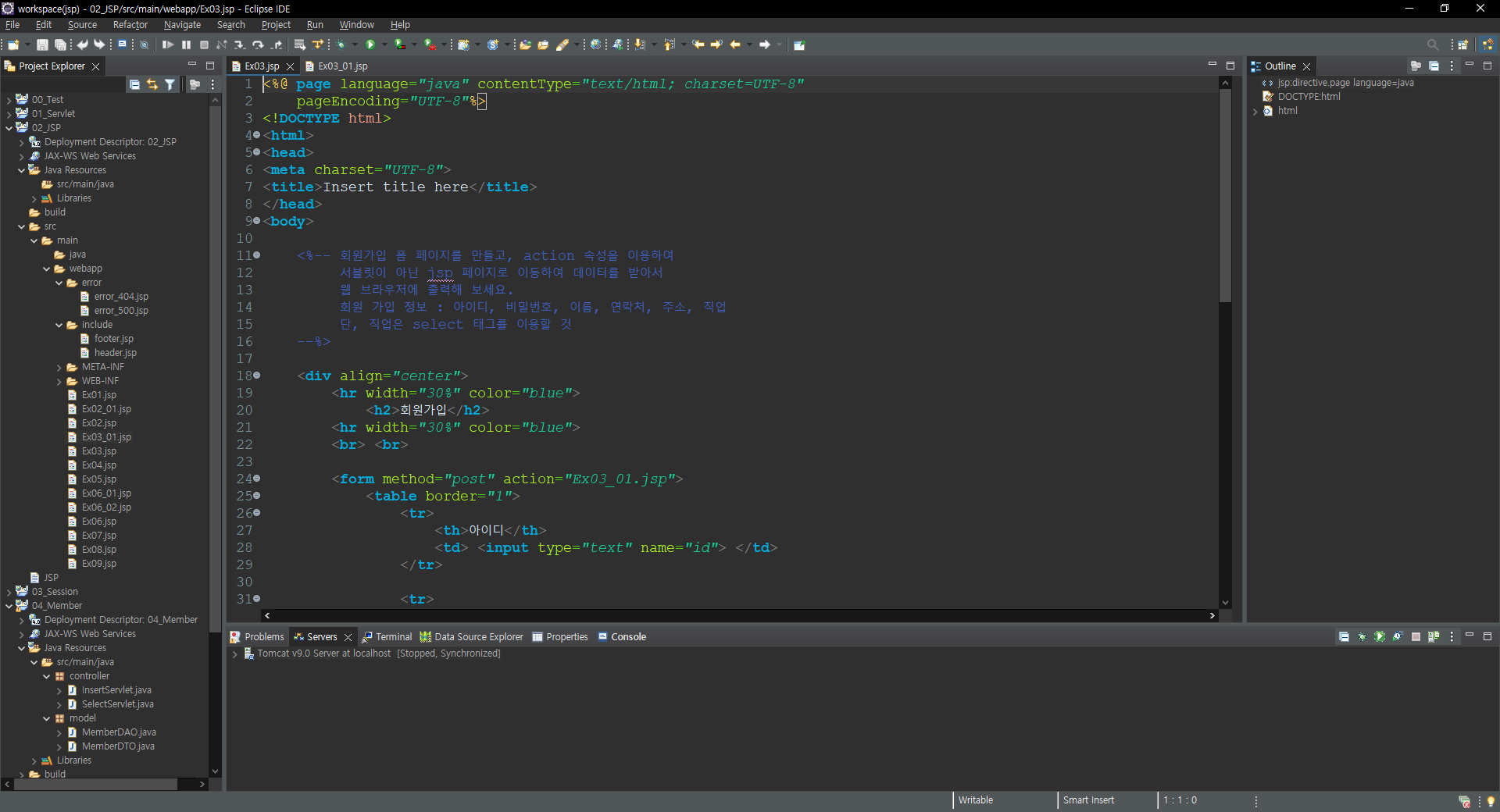


<%@ page language="java" contentType="text/html; charset=UTF-8"
pageEncoding="UTF-8"%>
<!DOCTYPE html>
<html>
<head>
<meta charset="UTF-8">
<title>Insert title here</title>
</head>
<body>
<%-- 회원가입 폼 페이지를 만들고, action 속성을 이용하여
서블릿이 아닌 jsp 페이지로 이동하여 데이터를 받아서
웹 브라우저에 출력해 보세요.
회원 가입 정보 : 아이디, 비밀번호, 이름, 연락처, 주소, 직업
단, 직업은 select 태그를 이용할 것
--%>
<div align="center">
<hr width="30%" color="blue">
<h2>회원가입</h2>
<hr width="30%" color="blue">
<br> <br>
<form method="post" action="Ex03_01.jsp">
<table border="1">
<tr>
<th>아이디</th>
<td> <input type="text" name="id"> </td>
</tr>
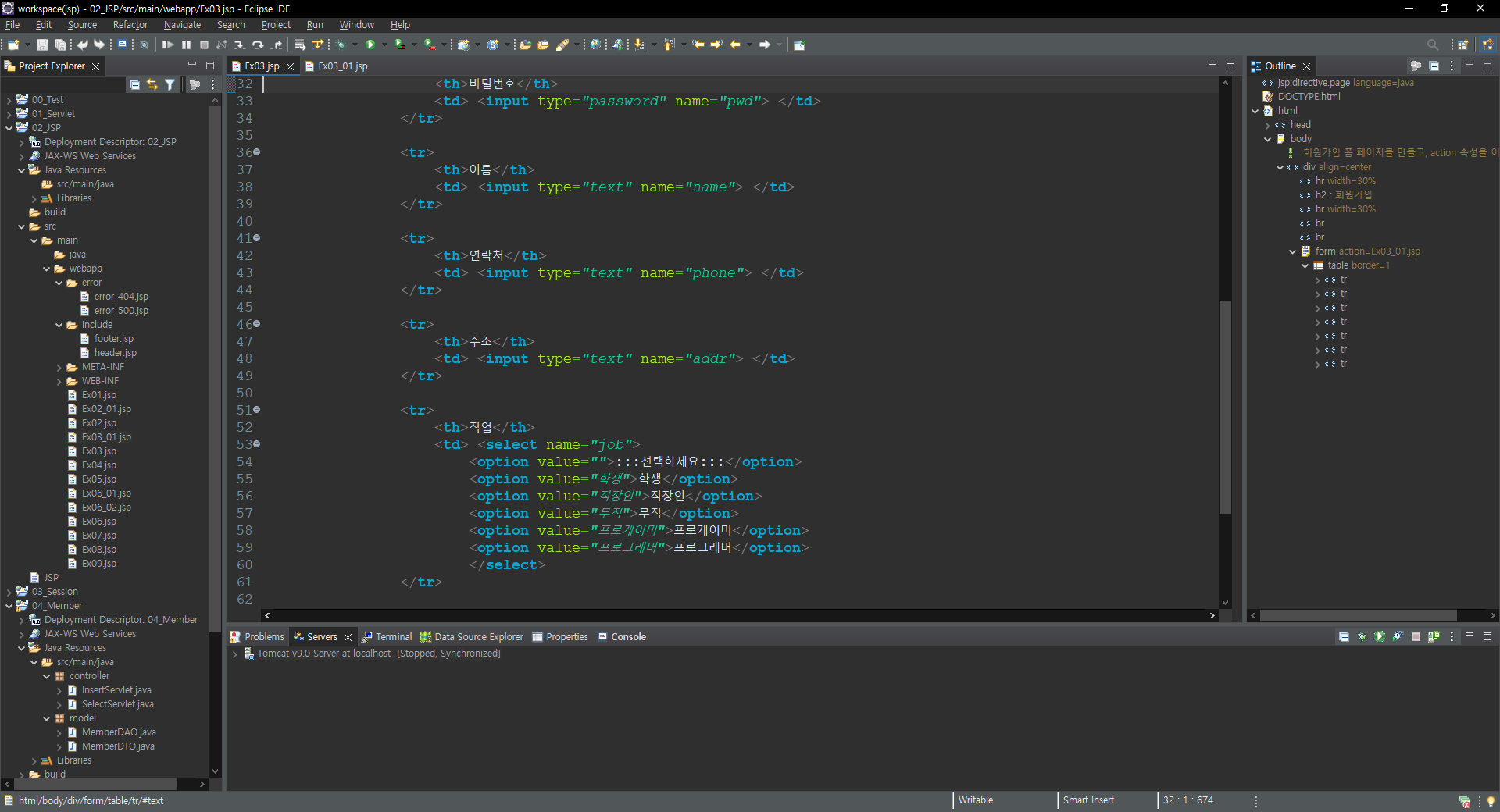
<tr>
<th>비밀번호</th>
<td> <input type="password" name="pwd"> </td>
</tr>
<tr>
<th>이름</th>
<td> <input type="text" name="name"> </td>
</tr>
<tr>
<th>연락처</th>
<td> <input type="text" name="phone"> </td>
</tr>
<tr>
<th>주소</th>
<td> <input type="text" name="addr"> </td>
</tr>
<tr>
<th>직업</th>
<td> <select name="job">
<option value="">:::선택하세요:::</option>
<option value="학생">학생</option>
<option value="직장인">직장인</option>
<option value="무직">무직</option>
<option value="프로게이머">프로게이머</option>
<option value="프로그래머">프로그래머</option>
</select>
</tr>
<tr>
<td colspan="2" align="center">
<input type="submit" value="회원가입">
<input type="reset" value="다시작성">
</td>
</tr>
</table>
</form>
</div>
</body>
</html>
<%@ page language="java" contentType="text/html; charset=UTF-8"
    pageEncoding="UTF-8"%>
<!DOCTYPE html>

<%

	// 한글 깨짐 방지 설정 작업
	request.setCharacterEncoding("UTF-8");

	String userId = request.getParameter("id").trim();
	String userPwd = request.getParameter("pwd").trim();
	String userName = request.getParameter("name").trim();
	String userPhone = request.getParameter("phone").trim();
	String userAddr = request.getParameter("addr").trim();
	String userJob = request.getParameter("job");
%>

<html>
<head>
<meta charset="UTF-8">
<title>Insert title here</title>
</head>
<body>

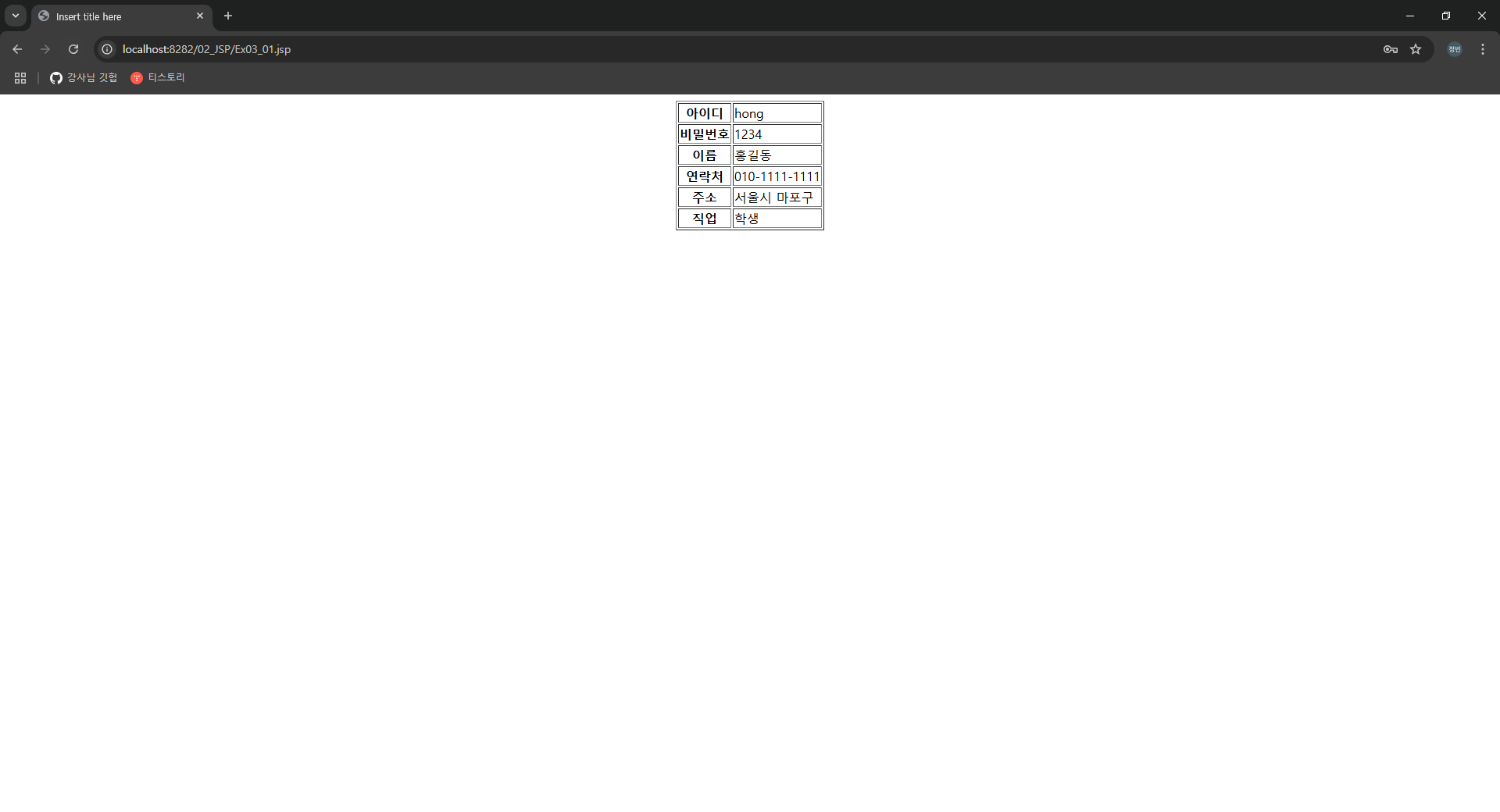
	<div align="center">
			<table border="1">
				<tr>
					<th>아이디</th>
					<td><%= userId %></td>
				</tr>

				<tr>
					<th>비밀번호</th>
					<td><%= userPwd %></td>
				</tr>

				<tr>
					<th>이름</th>
					<td><%= userName %></td>
				</tr>

				<tr>
					<th>연락처</th>
					<td><%= userPhone %></td>
				</tr>

				<tr>
					<th>주소</th>
					<td><%= userAddr %></td>
				</tr>

				<tr>
					<th>직업</th>
					<td><%= userJob %></td>
				</tr>
			</table>
	</div>

</body>
</html>'JSP > 기초 내용 정리' 카테고리의 다른 글
| JSP(JSP)_05 (0) | 2024.12.12 |
|---|---|
| JSP(JSP)_04 (0) | 2024.12.12 |
| JSP(JSP)_02 (0) | 2024.12.12 |
| JSP(JSP)_01 (0) | 2024.12.12 |
| JSP(JSP)_00 (1) | 2024.12.12 |