2024-11-05
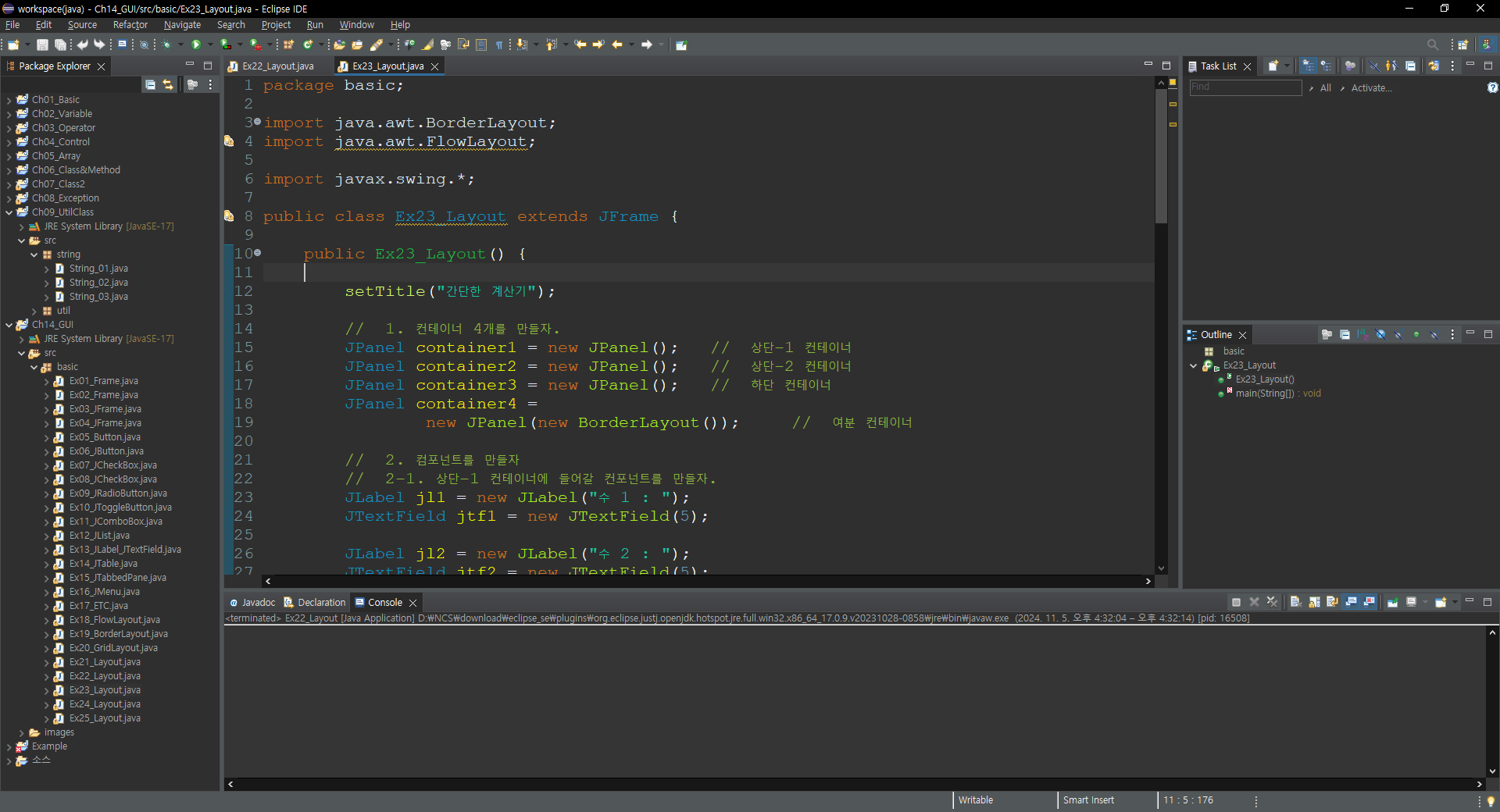

package basic;

import java.awt.BorderLayout;
import java.awt.FlowLayout;

import javax.swing.*;

public class Ex23_Layout extends JFrame {

	public Ex23_Layout() {

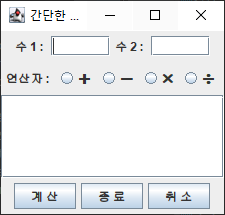
		setTitle("간단한 계산기");

		//  1. 컨테이너 4개를 만들자.
		JPanel container1 = new JPanel();	//  상단-1 컨테이너
		JPanel container2 = new JPanel();	//  상단-2 컨테이너
		JPanel container3 = new JPanel();	//  하단 컨테이너
		JPanel container4 =
				new JPanel(new BorderLayout());		//  여분 컨테이너

		//  2. 컴포넌트를 만들자
		//  2-1. 상단-1 컨테이너에 들어갈 컨포넌트를 만들자.
		JLabel jl1 = new JLabel("수 1 : ");
		JTextField jtf1 = new JTextField(5);

		JLabel jl2 = new JLabel("수 2 : ");
		JTextField jtf2 = new JTextField(5);

		//  2-2. 상단-2 컨테이너에 들어갈 컨포넌트를 만들자.
		JLabel jl3 = new JLabel("연산자 : ");
		JRadioButton plus = new JRadioButton("➕");
		JRadioButton minus = new JRadioButton("➖");
		JRadioButton multi = new JRadioButton("✖");
		JRadioButton div = new JRadioButton("➗");

		ButtonGroup group = new ButtonGroup();

		group.add(plus); group.add(minus);
		group.add(multi); group.add(div);

		//  2-3. 중앙 컨테이너에 들어갈 컨포넌트를 만들자.
		JTextArea jta = new JTextArea(5, 20);

		JScrollPane jsp = new JScrollPane(
				jta,
				ScrollPaneConstants.VERTICAL_SCROLLBAR_AS_NEEDED,
				ScrollPaneConstants.HORIZONTAL_SCROLLBAR_NEVER);

		//  2-4. 하단 컨테이너에 들어갈 컴포넌트를 만들자.
		JButton button1 = new JButton("계 산");
		JButton button2 = new JButton("종 료");
		JButton button3 = new JButton("취 소");

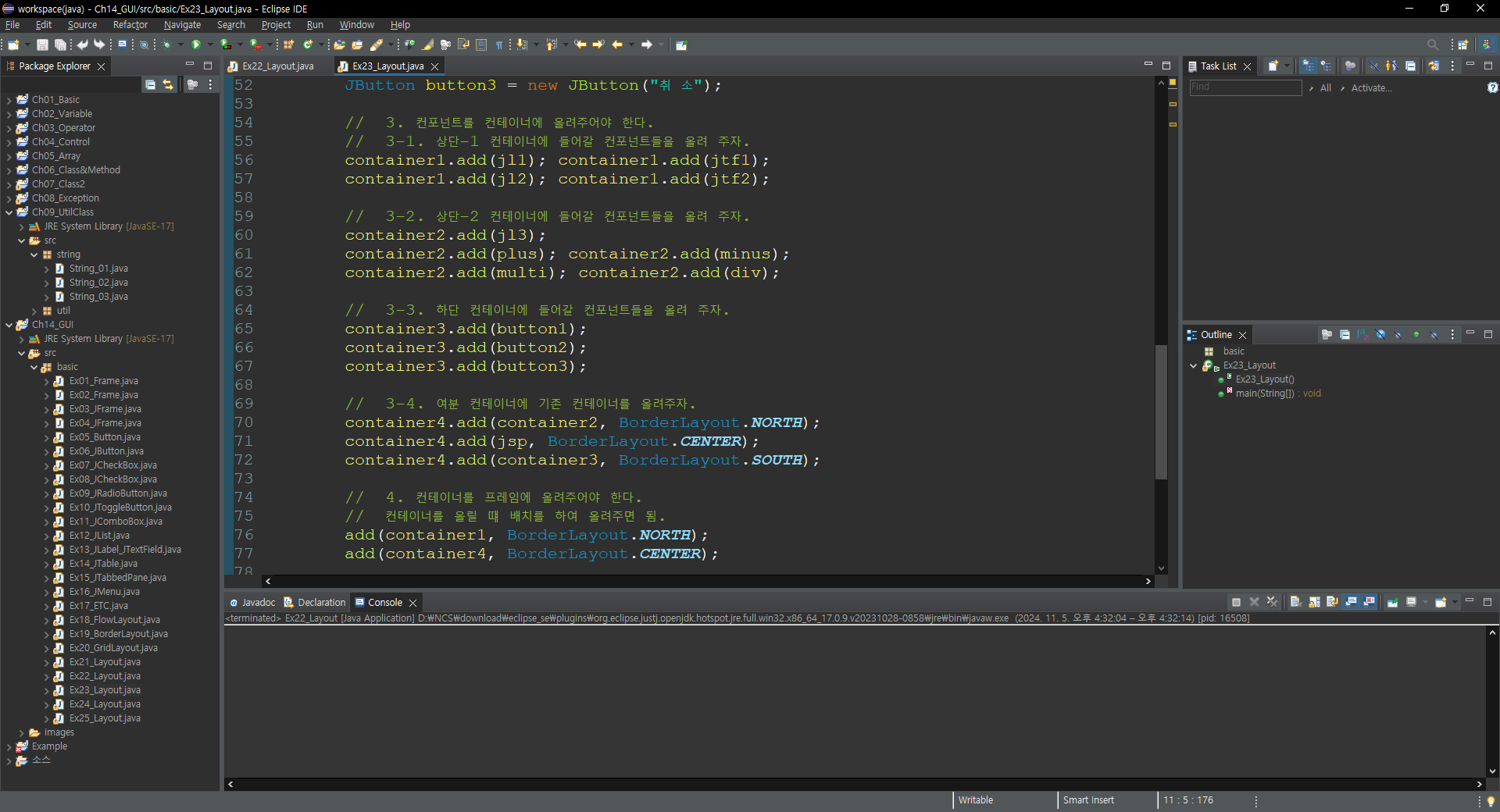
		//  3. 컨포넌트를 컨테이너에 올려주어야 한다.
		//  3-1. 상단-1 컨테이너에 들어갈 컨포넌트들을 올려 주자.
		container1.add(jl1); container1.add(jtf1);
		container1.add(jl2); container1.add(jtf2);

		//  3-2. 상단-2 컨테이너에 들어갈 컨포넌트들을 올려 주자.
		container2.add(jl3);
		container2.add(plus); container2.add(minus);
		container2.add(multi); container2.add(div);

		//  3-3. 하단 컨테이너에 들어갈 컨포넌트들을 올려 주자.
		container3.add(button1);
		container3.add(button2);
		container3.add(button3);

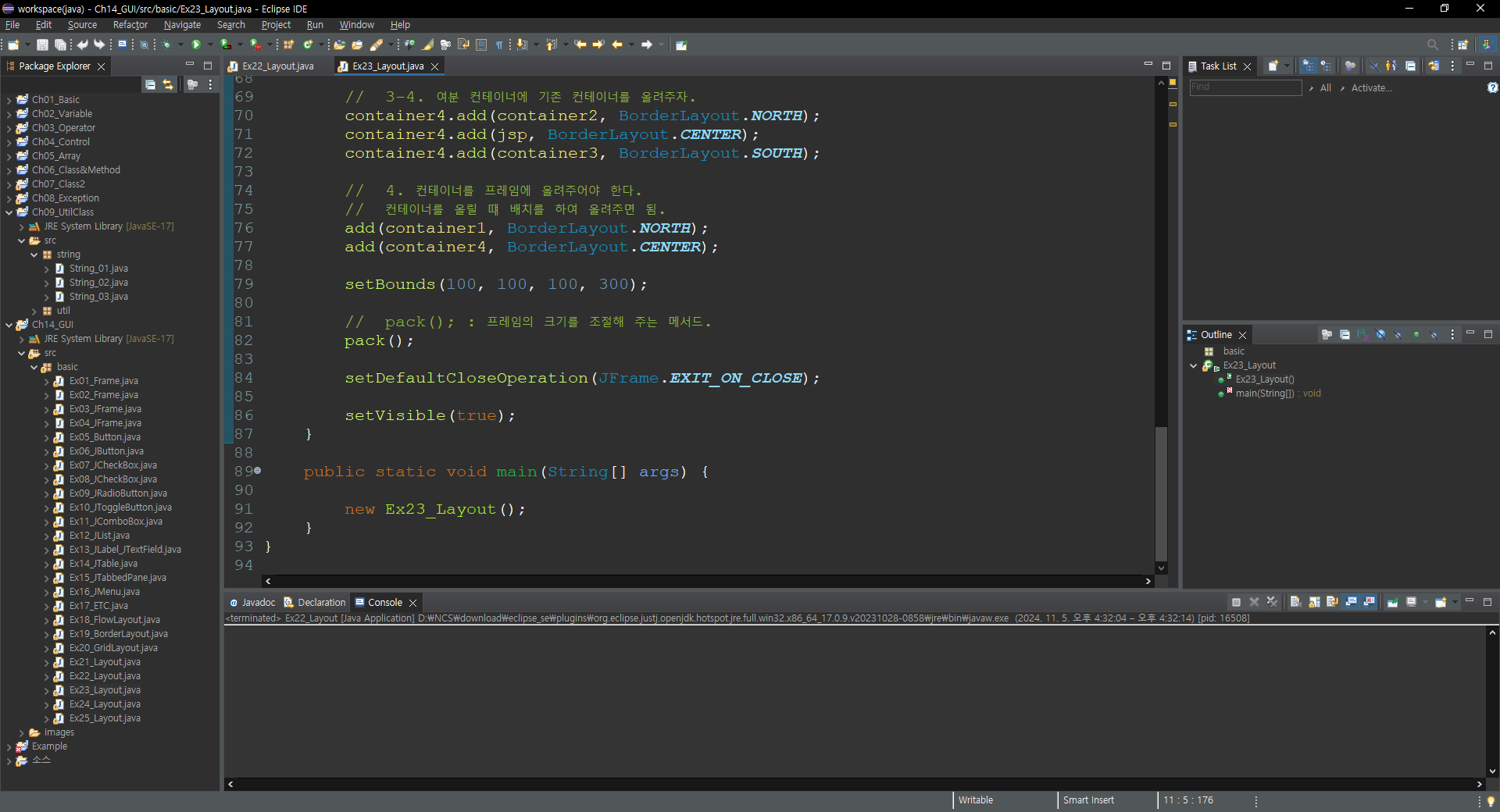
		//  3-4. 여분 컨테이너에 기존 컨테이너를 올려주자.
		container4.add(container2, BorderLayout.NORTH);
		container4.add(jsp, BorderLayout.CENTER);
		container4.add(container3, BorderLayout.SOUTH);

		//  4. 컨테이너를 프레임에 올려주어야 한다.
		//  컨테이너를 올릴 떄 배치를 하여 올려주면 됨.
		add(container1, BorderLayout.NORTH);
		add(container4, BorderLayout.CENTER);

		setBounds(100, 100, 100, 300);

		//  pack(); : 프레임의 크기를 조절해 주는 메서드.
		pack();

		setDefaultCloseOperation(JFrame.EXIT_ON_CLOSE);

		setVisible(true);
	}

	public static void main(String[] args) {

		new Ex23_Layout();
	}
}'Java > 기초 내용 정리' 카테고리의 다른 글
| Java(UtilClass)_String_05 (0) | 2024.11.06 |
|---|---|
| Java(UtilClass)_String_04 (0) | 2024.11.06 |
| Java(GUI)_Layout_22 (0) | 2024.11.05 |
| Java(UtilClass)_String_03 (0) | 2024.11.05 |
| Java(UtilClass)_String_02 (0) | 2024.11.05 |