2024-10-23
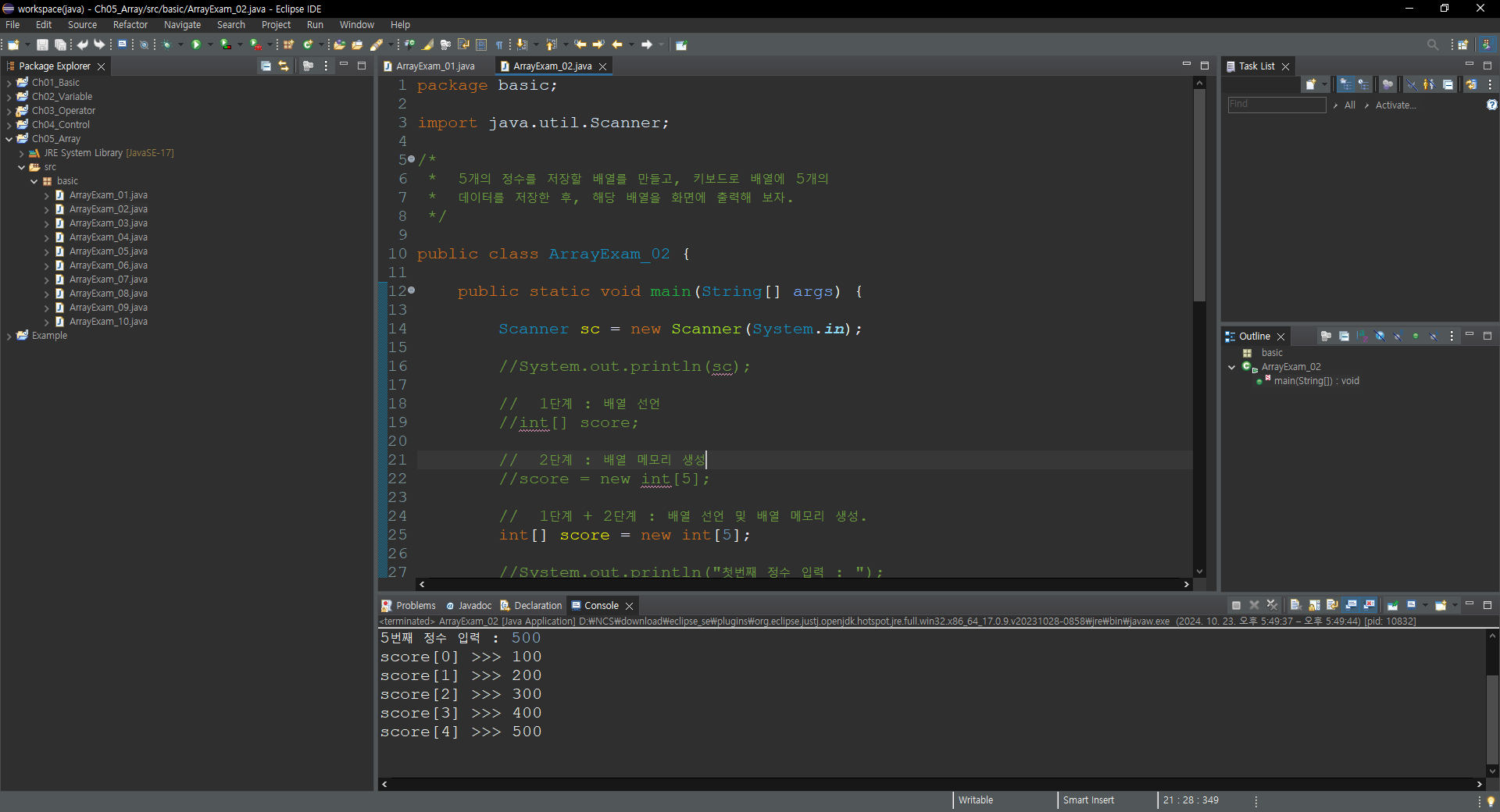


1번째 정수 입력 : 100
2번째 정수 입력 : 200
3번째 정수 입력 : 300
4번째 정수 입력 : 400
5번째 정수 입력 : 500
score[0] >>> 100
score[1] >>> 200
score[2] >>> 300
score[3] >>> 400
score[4] >>> 500
package basic;

import java.util.Scanner;

/*
 *  5개의 정수를 저장할 배열를 만들고, 키보드로 배열에 5개의
 *  데이터를 저장한 후, 해당 배열을 화면에 출력해 보자.
 */

public class ArrayExam_02 {

	public static void main(String[] args) {

		Scanner sc = new Scanner(System.in);

		//System.out.println(sc);

		//  1단계 : 배열 선언
		//int[] score;

		//  2단계 : 배열 메모리 생성
		//score = new int[5];

		//  1단계 + 2단계 : 배열 선언 및 배열 메모리 생성.
		int[] score = new int[5];

		//System.out.println("첫번째 정수 입력 : ");
		//score[0] = sc.nextInt();

		//System.out.println("두번째 정수 입력 : ");
		//score[1] = sc.nextInt();

		//System.out.println("세번째 정수 입력 : ");
		//score[2] = sc.nextInt();

		//System.out.println("네번째 정수 입력 : ");
		//score[3] = sc.nextInt();

		//System.out.println("다섯번째 정수 입력 : ");
		//score[4] = sc.nextInt();

		//  반복문을 이용하여 5개의 정수를 배열에 저장을 해 보자.
		for(int i = 0; i < 5; i++) {

			System.out.print((i+1) + "번째 정수 입력 : ");
			//  "1번째" ==> 이렇게 출력되기 위해 (i+1) 사용

			score[i] = sc.nextInt();
		}

		//  반복문을 이용하여 배열에 저장된 데이터를 출력해 보자.
		for(int i = 0; i < 5; i++) {

			System.out.println("score["+i+"] >>> " + score[i]);
		}
		sc.close();
	}

}'Java > 기초 내용 정리' 카테고리의 다른 글
| Java(Array)_04 (0) | 2024.10.23 |
|---|---|
| Java(Array)_03 (0) | 2024.10.23 |
| Java(Array)_01 (0) | 2024.10.23 |
| Java(Control)_Exam_07 (0) | 2024.10.23 |
| Java(Control)_Exam_06 (0) | 2024.10.22 |